RealityScan workflow
Distinguish RealityScan desktop from RealityScan Mobile before describing controls or hardware requirements.
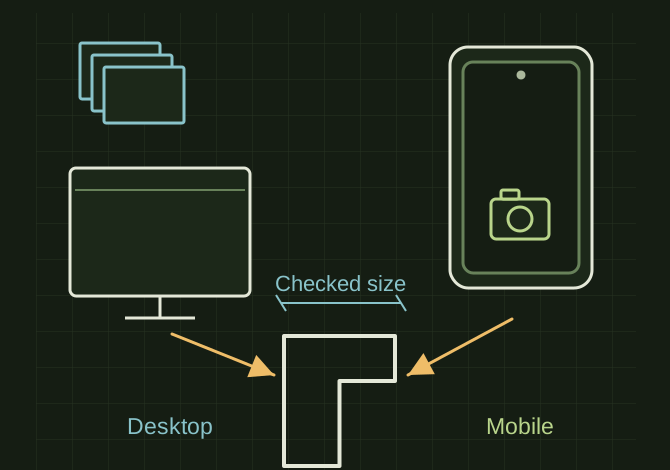
Desktop processing or guided phone capture
 OPEN FULL SIZE ↗
- Desktop
- Existing image set
- Mobile
- Guided phone capture
- Verify
- Coverage, scale and supported export
TECHNICAL NOTES///
Distinguish RealityScan desktop from RealityScan Mobile before describing controls or hardware requirements.
GOALRun the first test described in this guide and record the result for realityscan workflow.
EQUIPMENT
- Scanner / mesh workflow
- Representative test model
- Measurement or inspection method
STEPS
- Choose desktop processing for an existing image set or Mobile for its guided phone capture workflow.
- Capture a matte, stationary subject with broad overlap and consistent exposure.
- Inspect alignment and coverage, adding photographs of holes or low-confidence areas before producing the final mesh.
- Scale using known dimensions, crop unwanted surroundings and export in the format supported by the chosen product and plan.
TROUBLESHOOTING
- Desktop and mobile are not interchangeable interfaces. Licensing and export options should be checked against the installed version. Avoid treating inferred filled surfaces as measurements.
THINGS TO WATCH FOR
Desktop and mobile are not interchangeable interfaces. Licensing and export options should be checked against the installed version. Avoid treating inferred filled surfaces as measurements.
RESULTThe final model contains the desired object at a checked scale and opens in the downstream CAD/mesh tool.
DEVELOPMENT HISTORY///
Imported as an independent manifest record; public copy keeps uncertainty visible.
SPECIFICATION///
RELEASED MATERIAL///
The final model contains the desired object at a checked scale and opens in the downstream CAD/mesh tool.
The record keeps what is known at this revision. Unfinished tests stay unfinished here.