Meshroom 2025 workflow
Preserve the record title but document the actual installed Meshroom build; “2025” is not a substitute for a verified release number.
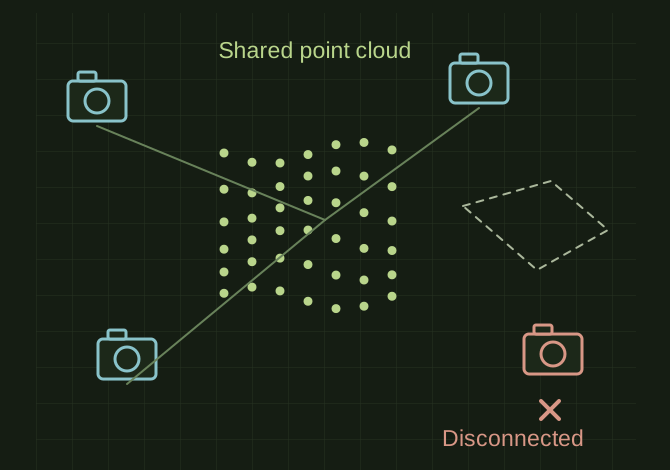
Check the camera network before densifying
 OPEN FULL SIZE ↗
- Record
- Actual installed build
- Inspect first
- Disconnected cameras and components
- Then
- Dense reconstruction and checked scale
TECHNICAL NOTES///
Preserve the record title but document the actual installed Meshroom build; “2025” is not a substitute for a verified release number.
GOALRun the first test described in this guide and record the result for meshroom 2025 workflow.
EQUIPMENT
- Scanner / mesh workflow
- Representative test model
- Measurement or inspection method
STEPS
- Check that the installed build and its AliceVision dependencies support the computer and GPU. Keep a writable cache location with sufficient space.
- Import a sharp overlapping image set, save the project and run initial camera alignment.
- Inspect disconnected cameras and components before dense reconstruction. Fix poor image coverage instead of blindly raising quality settings.
- Run meshing/texturing, inspect the result and export it with an explicit scale established from measured references.
TROUBLESHOOTING
- A capable NVIDIA card still needs compatible software/drivers. More photos do not fix blur or a moving subject. Dense reconstruction can consume considerable disk and memory.
THINGS TO WATCH FOR
A capable NVIDIA card still needs compatible software/drivers. More photos do not fix blur or a moving subject. Dense reconstruction can consume considerable disk and memory.
RESULTThe saved project reproduces a connected model with checked dimensions and no unexplained missing region.
DEVELOPMENT HISTORY///
Imported as an independent manifest record; public copy keeps uncertainty visible.
SPECIFICATION///
RELEASED MATERIAL///
The saved project reproduces a connected model with checked dimensions and no unexplained missing region.
The record keeps what is known at this revision. Unfinished tests stay unfinished here.