OpenScanCloud workflow
Submit a suitable photo set for remote reconstruction when the service is available and its terms fit the project.
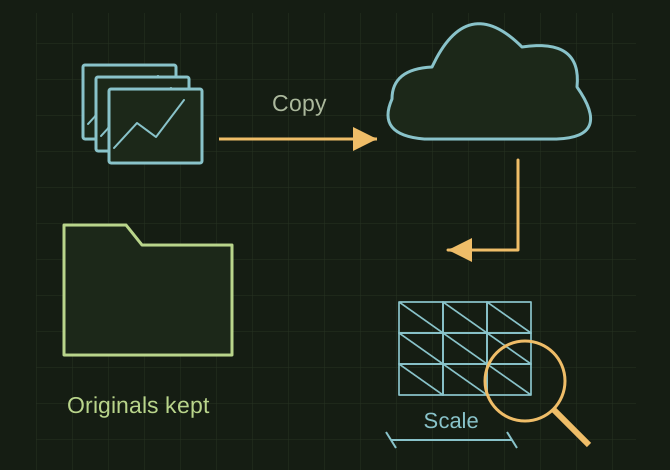
Keep the originals when processing in the cloud
 OPEN FULL SIZE ↗
- Keep
- Original images and local outputs
- Check
- Completeness and scale
- Private
- Token and job identifier
TECHNICAL NOTES///
Submit a suitable photo set for remote reconstruction when the service is available and its terms fit the project.
GOALRun the first test described in this guide and record the result for openscancloud workflow.
EQUIPMENT
- Scanner / mesh workflow
- Representative test model
- Measurement or inspection method
STEPS
- Check current service availability, account/token requirements, image limits and retention terms.
- Prepare sharp original images with stable lighting and adequate overlap; run a small trial set first.
- Submit using the documented interface or API and retain the job identifier privately.
- Download and archive outputs locally, inspect completeness and scale, and keep original images for another processing attempt.
TROUBLESHOOTING
- Do not upload customer-confidential or employer data without authorization. A service token is a secret. A cloud job completing does not establish that the model is accurate.
THINGS TO WATCH FOR
Do not upload customer-confidential or employer data without authorization. A service token is a secret. A cloud job completing does not establish that the model is accurate.
RESULTThe returned model opens correctly and meets the same geometric checks as a local reconstruction.
DEVELOPMENT HISTORY///
Imported as an independent manifest record; public copy keeps uncertainty visible.
SPECIFICATION///
RELEASED MATERIAL///
The returned model opens correctly and meets the same geometric checks as a local reconstruction.
The record keeps what is known at this revision. Unfinished tests stay unfinished here.