Delete drawing dimensions and hole callouts
Remove a deliberately scoped annotation set with a preview and a recoverable starting file. Work on a copy first. Record application version, units and active document/configuration. Names below identify the catalogued workflow; they do not claim a particular button layout or verified implementation.
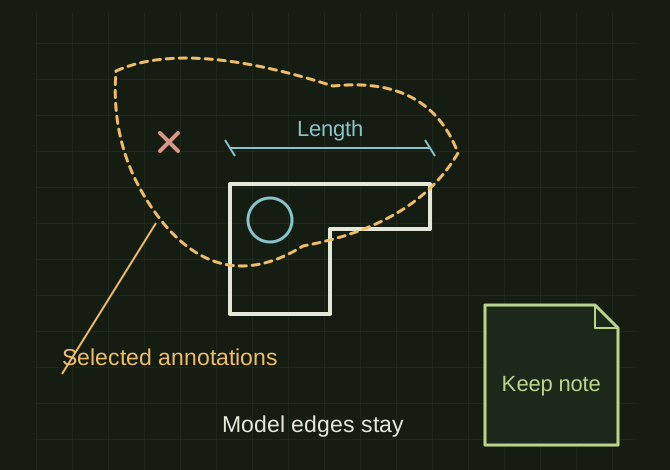
Select annotations, preserve the model
 OPEN FULL SIZE ↗
- Scope
- Selected sheet/view or annotation set
- Preserve
- Model-driving dimensions and unrelated notes
- Check
- Before/after counts
TECHNICAL NOTES///
Remove a deliberately scoped annotation set with a preview and a recoverable starting file.
GOALRun the first test described in this guide and record the result for delete drawing dimensions and hole callouts.
PREPARATION / NOTES
Work on a copy first. Record application version, units and active document/configuration. Names below identify the catalogued workflow; they do not claim a particular button layout or verified implementation.
EQUIPMENT
- CAD / automation tool
- Representative test model
- Measurement or inspection method
STEPS
- Save a copy and identify the selected sheet/view or explicit annotation set.
- Classify display dimensions, hole callouts, notes and other annotations before selecting deletion targets.
- Show counts and execute only the requested categories; preserve model-driving dimensions and unrelated notes.
- Rebuild and compare before/after screenshots and annotation counts.
TROUBLESHOOTING
- Do not use an unrestricted select-all/delete operation. A hole callout can be represented differently from an ordinary dimension. Destructive cleanup must remain scoped.
THINGS TO WATCH FOR
Do not use an unrestricted select-all/delete operation. A hole callout can be represented differently from an ordinary dimension. Destructive cleanup must remain scoped.
RESULTOnly the intended drawing annotations disappear and the model geometry is unchanged.
DEVELOPMENT HISTORY///
Imported as an independent manifest record; public copy keeps uncertainty visible.
SPECIFICATION///
RELEASED MATERIAL///
Only the intended drawing annotations disappear and the model geometry is unchanged.
The record keeps what is known at this revision. Unfinished tests stay unfinished here.