Scale drawing view to fit
Fit a view group into a defined usable region while preserving drawing conventions. Work on a copy first. Record application version, units and active document/configuration. Names below identify the catalogued workflow; they do not claim a particular button layout or verified implementation.
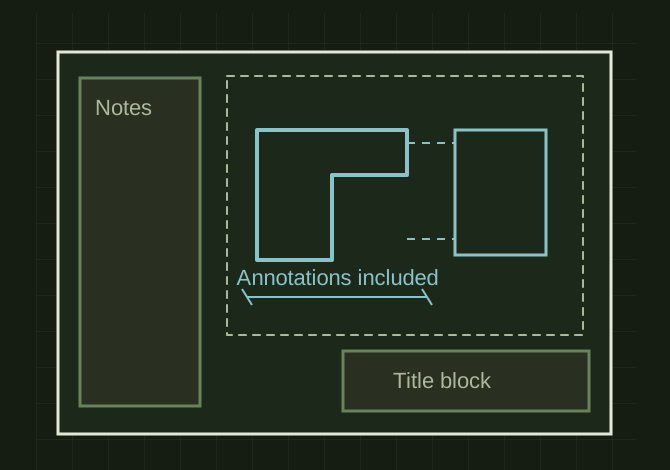
Fit the whole view group
 OPEN FULL SIZE ↗
- Reserve
- Title block, notes and tables
- Scale
- Allowed readable standard scale
- Preserve
- Projected-view relationships
TECHNICAL NOTES///
Fit a view group into a defined usable region while preserving drawing conventions.
GOALRun the first test described in this guide and record the result for scale drawing view to fit.
PREPARATION / NOTES
Work on a copy first. Record application version, units and active document/configuration. Names below identify the catalogued workflow; they do not claim a particular button layout or verified implementation.
EQUIPMENT
- CAD / automation tool
- Representative test model
- Measurement or inspection method
STEPS
- Calculate the usable sheet rectangle after title block, notes and tables are reserved.
- Measure the view or related-view group bounds in consistent sheet units.
- Choose an allowed standard scale that fits, then move the group into its region.
- Rebuild and recheck dimensions and projected-view relationships after scaling.
TROUBLESHOOTING
- Scaling only the parent view can leave annotations or related views outside the sheet. Arbitrary tiny scales may be unreadable even if they technically fit.
THINGS TO WATCH FOR
Scaling only the parent view can leave annotations or related views outside the sheet. Arbitrary tiny scales may be unreadable even if they technically fit.
RESULTAll required content remains inside margins and the stated scale matches the actual view.
DEVELOPMENT HISTORY///
Imported as an independent manifest record; public copy keeps uncertainty visible.
SPECIFICATION///
RELEASED MATERIAL///
All required content remains inside margins and the stated scale matches the actual view.
The record keeps what is known at this revision. Unfinished tests stay unfinished here.