Turn Grey/Turn Black drawing utilities
Apply a controlled display/plot color change to a selected drawing scope. Work on a copy first. Record application version, units and active document/configuration. Names below identify the catalogued workflow; they do not claim a particular button layout or verified implementation.
Screen color is only half the check
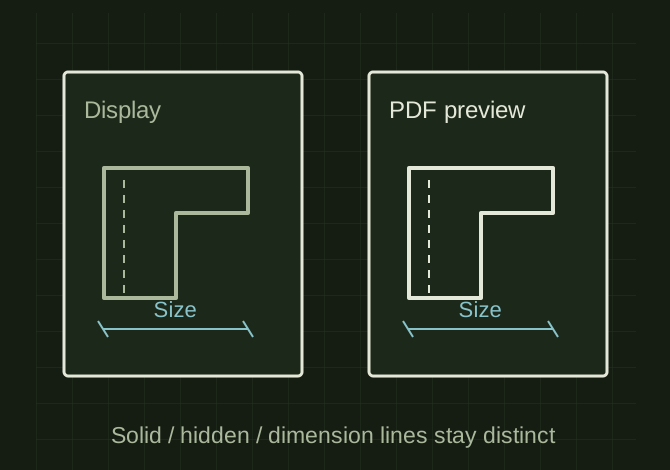 OPEN FULL SIZE ↗
- Scope
- Selected sheet/view/entities
- Preserve
- Geometry and dimensions
- Check
- Actual PDF or print output
TECHNICAL NOTES///
Apply a controlled display/plot color change to a selected drawing scope.
GOALRun the first test described in this guide and record the result for turn grey/turn black drawing utilities.
PREPARATION / NOTES
Work on a copy first. Record application version, units and active document/configuration. Names below identify the catalogued workflow; they do not claim a particular button layout or verified implementation.
EQUIPMENT
- CAD / automation tool
- Representative test model
- Measurement or inspection method
STEPS
- Identify whether the utility changes drawing entities, layers, view edges or model appearances; document that scope before running.
- Save a copy and select a limited sheet/view for the first trial.
- Apply the color change while preserving dimensions, geometry and unrelated layer definitions.
- Export a PDF or print preview and compare readability, hidden lines and annotations.
TROUBLESHOOTING
- Screen gray may print black or disappear under a plot style. Do not claim the existing utility modifies a particular object type without inspecting it.
THINGS TO WATCH FOR
Screen gray may print black or disappear under a plot style. Do not claim the existing utility modifies a particular object type without inspecting it.
RESULTOnly the intended entities change, and the drawing remains readable in its actual output format.
DEVELOPMENT HISTORY///
Imported as an independent manifest record; public copy keeps uncertainty visible.
SPECIFICATION///
RELEASED MATERIAL///
Only the intended entities change, and the drawing remains readable in its actual output format.
The record keeps what is known at this revision. Unfinished tests stay unfinished here.