SOLIDWORKS new/modify document tools
Create or modify documents using controlled templates and scoped settings. Work on a copy first. Record application version, units and active document/configuration. Names below identify the catalogued workflow; they do not claim a particular button layout or verified implementation.
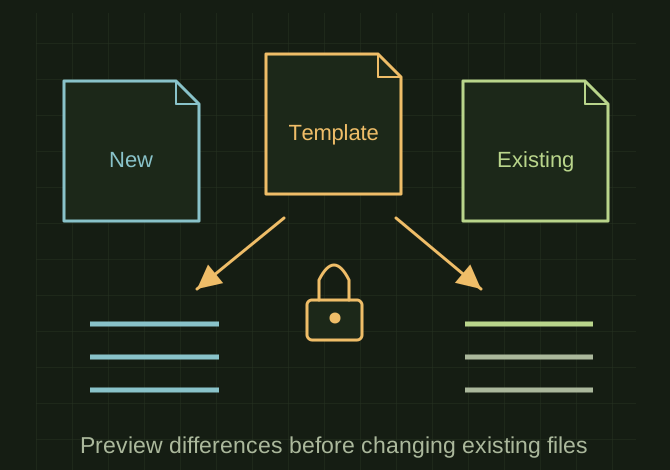
New document and existing document take different paths
 OPEN FULL SIZE ↗
- New
- Initialize approved template settings
- Existing
- Preview scoped differences
- Save
- No silent filename replacement
TECHNICAL NOTES///
Create or modify documents using controlled templates and scoped settings.
GOALRun the first test described in this guide and record the result for solidworks new/modify document tools.
PREPARATION / NOTES
Work on a copy first. Record application version, units and active document/configuration. Names below identify the catalogued workflow; they do not claim a particular button layout or verified implementation.
EQUIPMENT
- CAD / automation tool
- Representative test model
- Measurement or inspection method
STEPS
- Choose the intended document type, template revision, units and naming location.
- For a new document, initialize approved properties and material settings; for an existing file, preview differences first.
- Apply only the fields included in the chosen operation and rebuild.
- Save using collision handling that does not silently replace an existing file.
TROUBLESHOOTING
- Do not overwrite customer units or drawing standards merely because a template differs. Template paths may be machine-specific.
THINGS TO WATCH FOR
Do not overwrite customer units or drawing standards merely because a template differs. Template paths may be machine-specific.
RESULTThe result opens with the expected type, units and property set, and existing unrelated settings remain intact.
DEVELOPMENT HISTORY///
Imported as an independent manifest record; public copy keeps uncertainty visible.
SPECIFICATION///
RELEASED MATERIAL///
The result opens with the expected type, units and property set, and existing unrelated settings remain intact.
The record keeps what is known at this revision. Unfinished tests stay unfinished here.