SOLIDWORKS engineering dashboard
Use a dashboard to expose relevant automation for the current document and show missing prerequisites. Work on a copy first. Record application version, units and active document/configuration. Names below identify the catalogued workflow; they do not claim a particular button layout or verified implementation.
Actions follow the active document
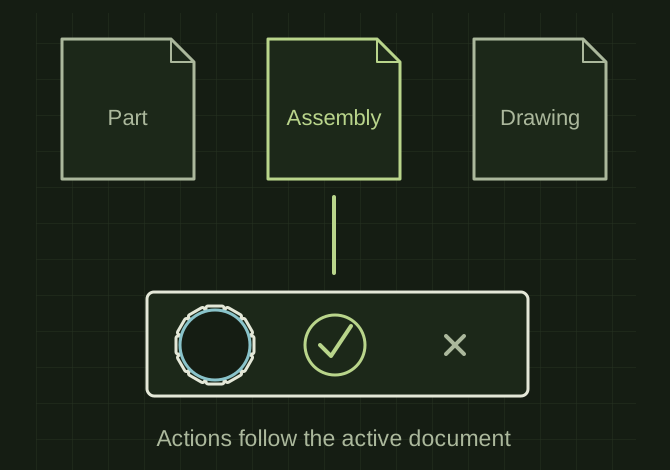 OPEN FULL SIZE ↗
- Context
- Active document and configuration
- Actions
- Supported with explicit prerequisites
- Avoid
- Stale document references
TECHNICAL NOTES///
Use a dashboard to expose relevant automation for the current document and show missing prerequisites.
GOALRun the first test described in this guide and record the result for solidworks engineering dashboard.
PREPARATION / NOTES
Work on a copy first. Record application version, units and active document/configuration. Names below identify the catalogued workflow; they do not claim a particular button layout or verified implementation.
EQUIPMENT
- CAD / automation tool
- Representative test model
- Measurement or inspection method
STEPS
- Identify the active part, assembly or drawing and its configuration/revision.
- Display only supported actions and explain unavailable actions with a specific prerequisite.
- Group preparation, checking and output commands in the order the shop uses them.
- Run commands through consistent logging and show file-level results after batch work.
TROUBLESHOOTING
- A dashboard is an entry point, not evidence every listed tool is installed or production-ready. Avoid stale active-document references when the user switches files.
THINGS TO WATCH FOR
A dashboard is an entry point, not evidence every listed tool is installed or production-ready. Avoid stale active-document references when the user switches files.
RESULTOpening a different document updates available actions and no command runs against the previously active file.
DEVELOPMENT HISTORY///
Imported as an independent manifest record; public copy keeps uncertainty visible.
SPECIFICATION///
RELEASED MATERIAL///
Opening a different document updates available actions and no command runs against the previously active file.
The record keeps what is known at this revision. Unfinished tests stay unfinished here.