STL export from FreeCAD automation
Export the final valid shape with controlled tessellation and a known scale.
Curves become triangles at export
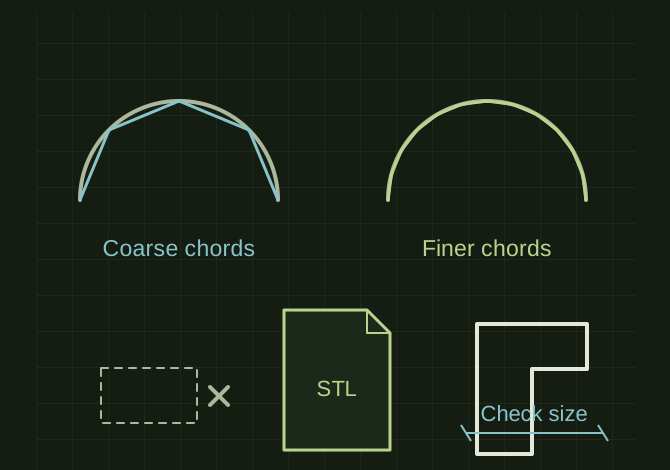 OPEN FULL SIZE ↗
- Export
- Final valid body only
- Control
- Tessellation
- Reopen
- Size, orientation and body count
TECHNICAL NOTES///
Export the final valid shape with controlled tessellation and a known scale.
GOALRun the first test described in this guide and record the result for stl export from freecad automation.
EQUIPMENT
- FreeCAD
- Representative test model
- Measurement or inspection method
STEPS
- Recompute the document and verify the intended final object is nonempty and valid.
- Select only the final body/shape, excluding sketches, intermediate solids and construction geometry.
- Choose tessellation appropriate for the smallest curved feature and export the mesh to a collision-safe filename.
- Reopen in the slicer and check bounding dimensions, orientation, body count and manifold warnings.
TROUBLESHOOTING
- STL does not reliably store physical units. Very coarse meshing facets curves; excessive density makes files harder to handle without improving printer resolution. A successful file write does not prove correct geometry.
THINGS TO WATCH FOR
STL does not reliably store physical units. Very coarse meshing facets curves; excessive density makes files harder to handle without improving printer resolution. A successful file write does not prove correct geometry.
RESULTAn independent viewer reports the expected size and the slicer produces the intended solid.
DEVELOPMENT HISTORY///
Imported as an independent manifest record; public copy keeps uncertainty visible.
SPECIFICATION///
RELEASED MATERIAL///
An independent viewer reports the expected size and the slicer produces the intended solid.
The record keeps what is known at this revision. Unfinished tests stay unfinished here.