Part-number/mark property automation without deletion
Add or update designated identification properties while preserving unrelated metadata. Work on a copy first. Record application version, units and active document/configuration. Names below identify the catalogued workflow; they do not claim a particular button layout or verified implementation.
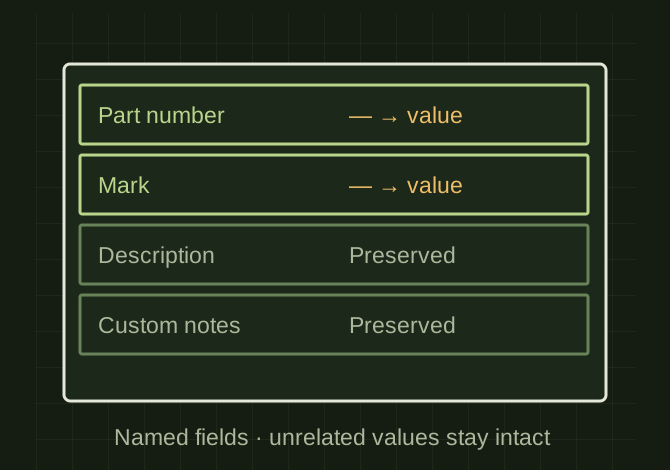
Change the owned fields only
 OPEN FULL SIZE ↗
- Scope
- Named property set and fields
- Preserve
- Unrelated values and authorized overrides
- Rerun
- No duplicate properties
TECHNICAL NOTES///
Add or update designated identification properties while preserving unrelated metadata.
GOALRun the first test described in this guide and record the result for part-number/mark property automation without deletion.
PREPARATION / NOTES
Work on a copy first. Record application version, units and active document/configuration. Names below identify the catalogued workflow; they do not claim a particular button layout or verified implementation.
EQUIPMENT
- CAD / automation tool
- Representative test model
- Measurement or inspection method
STEPS
- Define exactly which property set and names the rule owns, such as part number and mark.
- Read existing values and determine whether blanks may be filled or existing values may be replaced under the selected mode.
- Create missing properties individually and update only authorized values.
- Log before/after values and rerun to verify no duplicate properties or unintended changes.
TROUBLESHOOTING
- “Without deletion” means do not clear entire property sets. File-level and model-state values may differ. Preserve user-entered overrides unless replacement is explicitly intended.
THINGS TO WATCH FOR
“Without deletion” means do not clear entire property sets. File-level and model-state values may differ. Preserve user-entered overrides unless replacement is explicitly intended.
RESULTA test file containing unrelated custom properties retains them unchanged after repeated runs.
DEVELOPMENT HISTORY///
Imported as an independent manifest record; public copy keeps uncertainty visible.
SPECIFICATION///
RELEASED MATERIAL///
A test file containing unrelated custom properties retains them unchanged after repeated runs.
The record keeps what is known at this revision. Unfinished tests stay unfinished here.