2026 Tiguan SOS/MyVW connection setup
Treat app enrollment and an SOS-system fault as related but separate issues.
Account enrollment and SOS status are separate checks
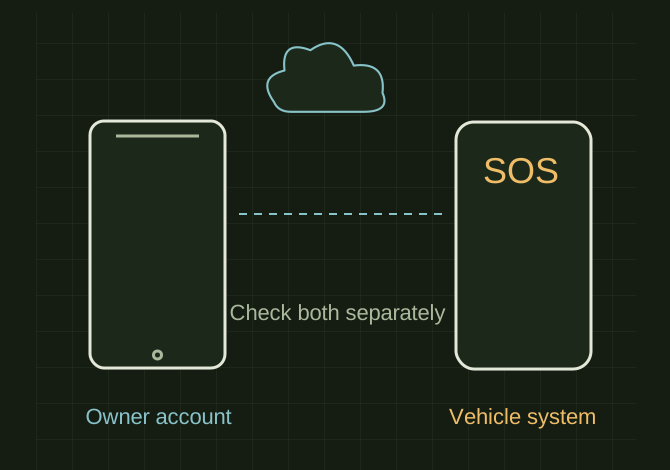 OPEN FULL SIZE ↗
- Account
- Owner enrollment
- Vehicle
- Ordinary supported functions
- SOS
- Persistent fault needs diagnosis
TECHNICAL NOTES///
Treat app enrollment and an SOS-system fault as related but separate issues.
GOALRun the first test described in this guide and record the result for 2026 tiguan sos/myvw connection setup.
EQUIPMENT
- Basic inspection tools
- Service information for the exact model
- Notebook or photo record
STEPS
- Use the official myVW app, create/sign in to the owner account and follow the vehicle-addition workflow with the correct VIN.
- Complete the in-vehicle authorization and privacy/connectivity choices while parked.
- Test an ordinary supported app function after allowing enrollment to finish; do not press SOS simply as a routine connectivity test.
- If an SOS warning persists, document it and contact the dealer or official support for diagnosis of the vehicle’s telematics system.
TROUBLESHOOTING
- App sign-in does not prove emergency services are functioning. Availability depends on equipment, account and service eligibility. Keep VIN/account details out of the public article.
SAFETY / LIMITS
- Use qualified judgment and current manufacturer or code guidance for safety-critical work.
THINGS TO WATCH FOR
App sign-in does not prove emergency services are functioning. Availability depends on equipment, account and service eligibility. Keep VIN/account details out of the public article.
RESULTThe app recognizes the correct vehicle and ordinary functions work; unresolved SOS faults remain explicitly unresolved.
DEVELOPMENT HISTORY///
Imported as an independent manifest record; public copy keeps uncertainty visible.
SPECIFICATION///
RELEASED MATERIAL///
The app recognizes the correct vehicle and ordinary functions work; unresolved SOS faults remain explicitly unresolved.
The record keeps what is known at this revision. Unfinished tests stay unfinished here.