Xbox One RetroArch setup
Use the supported developer-mode route and official software sources, with realistic expectations for Xbox One performance.
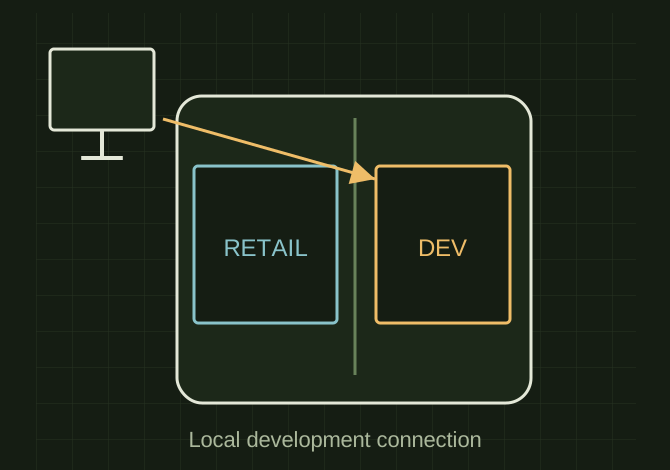
Keep development and retail environments distinct
 OPEN FULL SIZE ↗
- Console
- Xbox One
- Development
- Official package / local interface
- Test
- Authorized content and saved-game reload
TECHNICAL NOTES///
Use the supported developer-mode route and official software sources, with realistic expectations for Xbox One performance.
GOALRun the first test described in this guide and record the result for xbox one retroarch setup.
EQUIPMENT
- Basic inspection tools
- Service information for the exact model
- Notebook or photo record
STEPS
- Check current Microsoft developer enrollment and console activation requirements before paying for anything.
- Activate Developer Mode through Microsoft’s documented process and keep retail games/data separate from the development environment.
- Obtain an Xbox/UWP-compatible RetroArch package and dependencies from the official project, then deploy through the supported local device interface.
- Configure controller, save directories and a lightweight core; test with homebrew or content you are authorized to use.
TROUBLESHOOTING
- Do not install random retail-mode packages or assume Series X performance on an Xbox One. Back up saves before changing storage or removing development data. Do not expose the device portal publicly.
SAFETY / LIMITS
- Use qualified judgment and current manufacturer or code guidance for safety-critical work.
THINGS TO WATCH FOR
Do not install random retail-mode packages or assume Series X performance on an Xbox One. Back up saves before changing storage or removing development data. Do not expose the device portal publicly.
RESULTA permitted test game runs, saves and reloads correctly after restarting.
DEVELOPMENT HISTORY///
Imported as an independent manifest record; public copy keeps uncertainty visible.
SPECIFICATION///
RELEASED MATERIAL///
A permitted test game runs, saves and reloads correctly after restarting.
The record keeps what is known at this revision. Unfinished tests stay unfinished here.