Multibody DXF naming
Name exports from stable part and cut-list identity rather than the order bodies happen to appear. Work on a copy first. Record application version, units and active document/configuration. Names below identify the catalogued workflow; they do not claim a particular button layout or verified implementation.
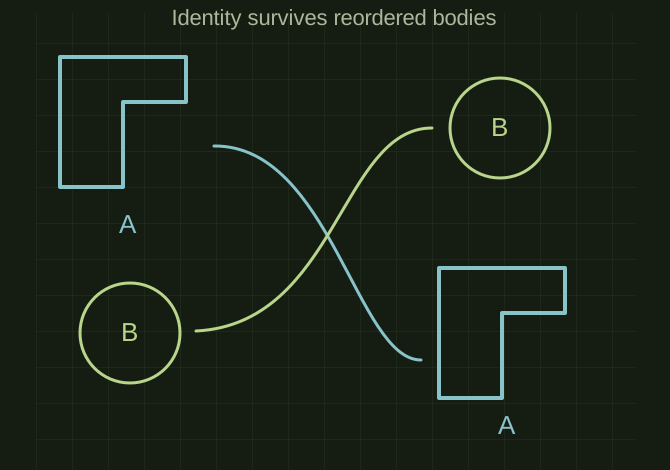
Names should follow identity after a rebuild
 OPEN FULL SIZE ↗
- Identity
- Body / cut-list item
- Avoid
- Unstable body indices
- Manifest
- Filename back to source
TECHNICAL NOTES///
Name exports from stable part and cut-list identity rather than the order bodies happen to appear.
GOALRun the first test described in this guide and record the result for multibody dxf naming.
PREPARATION / NOTES
Work on a copy first. Record application version, units and active document/configuration. Names below identify the catalogued workflow; they do not claim a particular button layout or verified implementation.
EQUIPMENT
- CAD / automation tool
- Representative test model
- Measurement or inspection method
STEPS
- Define a naming schema using document/part number, cut-list mark, configuration and revision as needed.
- Map each flat pattern to its corresponding body/cut-list item.
- Sanitize filenames and detect collisions before writing anything.
- Export with a manifest mapping each filename back to its source body and configuration.
TROUBLESHOOTING
- Body indices and automatically generated names can change after rebuilds. Two bodies with the same description may still need different drawings or quantities.
THINGS TO WATCH FOR
Body indices and automatically generated names can change after rebuilds. Two bodies with the same description may still need different drawings or quantities.
RESULTA rerun with unchanged geometry produces the same names and no cross-body overwrite.
DEVELOPMENT HISTORY///
Imported as an independent manifest record; public copy keeps uncertainty visible.
SPECIFICATION///
RELEASED MATERIAL///
A rerun with unchanged geometry produces the same names and no cross-body overwrite.
The record keeps what is known at this revision. Unfinished tests stay unfinished here.