Inventor automated DXF creation and orientation
Create a manufacturing DXF from the current sheet-metal flat pattern with explicit orientation and layer choices. Work on a copy first. Record application version, units and active document/configuration. Names below identify the catalogued workflow; they do not claim a particular button layout or verified implementation.
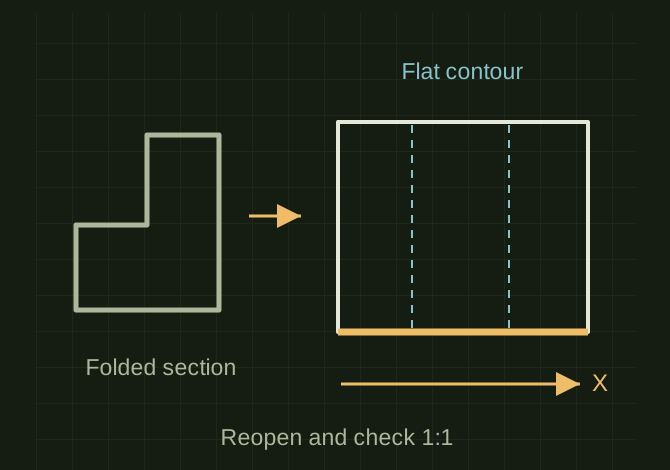
Export the flat pattern, not the folded shadow
 OPEN FULL SIZE ↗
- Source
- Current valid flat pattern
- Separate
- Cut and bend/construction layers
- Check
- Independent reopen at 1:1
TECHNICAL NOTES///
Create a manufacturing DXF from the current sheet-metal flat pattern with explicit orientation and layer choices.
GOALRun the first test described in this guide and record the result for inventor automated dxf creation and orientation.
PREPARATION / NOTES
Work on a copy first. Record application version, units and active document/configuration. Names below identify the catalogued workflow; they do not claim a particular button layout or verified implementation.
EQUIPMENT
- Inventor / iLogic
- Representative test model
- Measurement or inspection method
STEPS
- Verify sheet-metal document type, material, thickness and a valid flat pattern.
- Update/unfold, choose the intended reference edge and establish the output orientation.
- Export with the approved layer mapping, units and naming rule, keeping unwanted bend/construction lines off cutting layers.
- Open the DXF independently and check extents, closed contours, bend-layer intent and revision.
TROUBLESHOOTING
- Do not export the folded silhouette as a flat pattern. Automatic longest-edge orientation can choose a different edge after a model change.
THINGS TO WATCH FOR
Do not export the folded silhouette as a flat pattern. Automatic longest-edge orientation can choose a different edge after a model change.
RESULTThe reopened DXF matches the checked flat pattern at 1:1 scale and contains only intended manufacturing geometry.
DEVELOPMENT HISTORY///
Imported as an independent manifest record; public copy keeps uncertainty visible.
SPECIFICATION///
RELEASED MATERIAL///
The reopened DXF matches the checked flat pattern at 1:1 scale and contains only intended manufacturing geometry.
The record keeps what is known at this revision. Unfinished tests stay unfinished here.