Flat-then-rotate-landscape combined rule
Run the flat-pattern update before orientation and derived exports so later steps use current geometry. Work on a copy first. Record application version, units and active document/configuration. Names below identify the catalogued workflow; they do not claim a particular button layout or verified implementation.
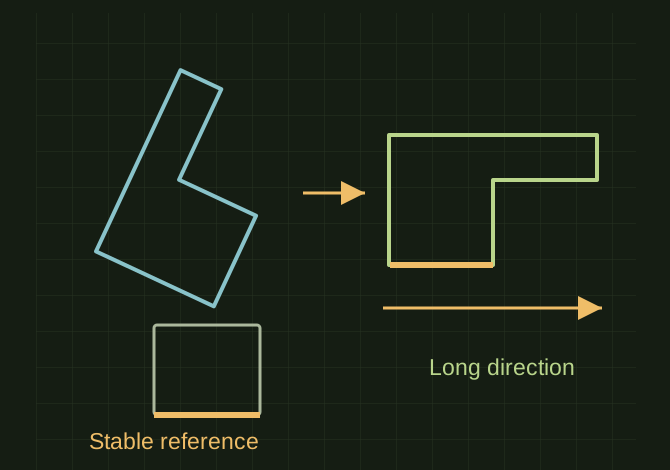
Update first, then choose landscape
 OPEN FULL SIZE ↗
- Order
- Flat update before rotation/export
- Rerun
- Identical orientation and filenames
- Failure
- Stop on update failure
TECHNICAL NOTES///
Run the flat-pattern update before orientation and derived exports so later steps use current geometry.
GOALRun the first test described in this guide and record the result for flat-then-rotate-landscape combined rule.
PREPARATION / NOTES
Work on a copy first. Record application version, units and active document/configuration. Names below identify the catalogued workflow; they do not claim a particular button layout or verified implementation.
EQUIPMENT
- CAD / automation tool
- Representative test model
- Measurement or inspection method
STEPS
- Validate the part and save the initial active state/orientation.
- Run flat-pattern creation/update and stop the sequence if it fails.
- Measure the intended flat extents, choose the approved landscape orientation and apply it deterministically.
- Refresh size properties and export, then restore any state that the workflow promises to preserve.
TROUBLESHOOTING
- Do not continue with stale geometry after an earlier failure. Near-square parts need a stable tie-breaker to avoid alternating orientation on reruns.
THINGS TO WATCH FOR
Do not continue with stale geometry after an earlier failure. Near-square parts need a stable tie-breaker to avoid alternating orientation on reruns.
RESULTTwo runs produce identical orientation, dimensions and filenames for the unchanged part.
DEVELOPMENT HISTORY///
Imported as an independent manifest record; public copy keeps uncertainty visible.
SPECIFICATION///
RELEASED MATERIAL///
Two runs produce identical orientation, dimensions and filenames for the unchanged part.
The record keeps what is known at this revision. Unfinished tests stay unfinished here.