MeshLab cleanup and trimming
Clean scan artifacts while preserving a raw copy and the dimensions that matter.
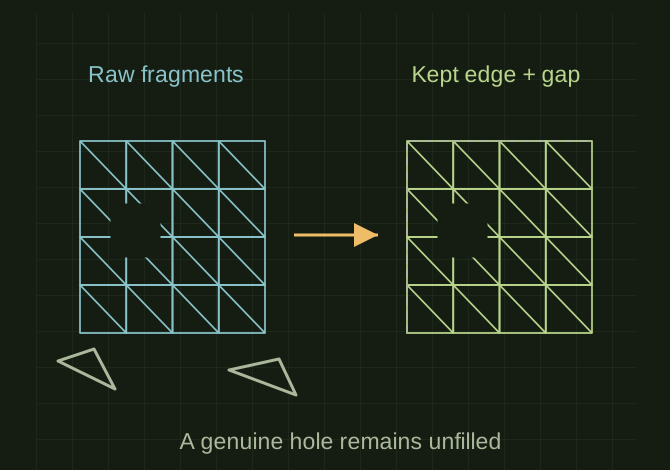
Remove clutter without erasing the edge
 OPEN FULL SIZE ↗
- Preserve
- Raw copy and critical dimensions
- Remove
- Disconnected background and fixture geometry
- Check
- Sections before export
TECHNICAL NOTES///
Clean scan artifacts while preserving a raw copy and the dimensions that matter.
GOALRun the first test described in this guide and record the result for meshlab cleanup and trimming.
EQUIPMENT
- Scanner / mesh workflow
- Representative test model
- Measurement or inspection method
STEPS
- Save an untouched original and work on a duplicate mesh.
- Remove disconnected background fragments and trim unwanted support/fixture geometry.
- Inspect normals, duplicate faces and non-manifold edges. Repair only the defects needed for the intended output.
- Decimate conservatively if necessary, protecting sharp features; compare dimensions and sections to the original before exporting.
TROUBLESHOOTING
- Hole filling invents geometry where data is missing. Smoothing can round edges or shrink details. MeshLab filters may operate destructively and some exports lose texture or units.
THINGS TO WATCH FOR
Hole filling invents geometry where data is missing. Smoothing can round edges or shrink details. MeshLab filters may operate destructively and some exports lose texture or units.
RESULTThe cleaned mesh is easier to use without shifting checked surfaces beyond the project’s tolerance.
DEVELOPMENT HISTORY///
Imported as an independent manifest record; public copy keeps uncertainty visible.
Connected the newer project records: CAD-SMOKER-CAP-001, HOW-PIKA-001. Existing test limitations remain in place.
SPECIFICATION///
RELEASED MATERIAL///
The cleaned mesh is easier to use without shifting checked surfaces beyond the project’s tolerance.
The record keeps what is known at this revision. Unfinished tests stay unfinished here.