u225x.com domain and Cloudflare setup
Connect the owned domain to the selected host using the host’s current DNS requirements. Keep ownership, DNS and website hosting distinct.
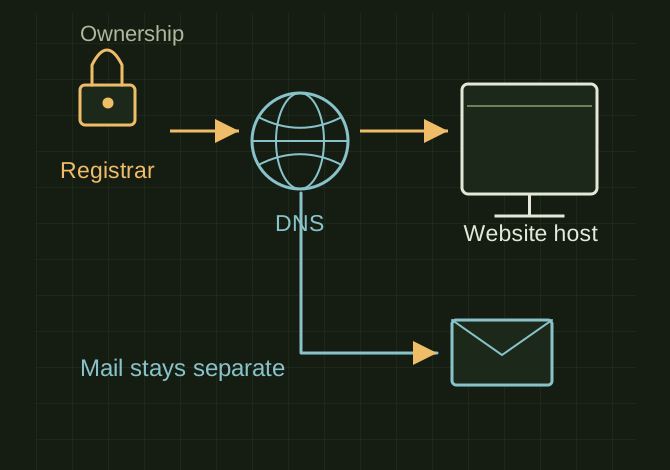
Ownership, DNS and hosting do different jobs
 OPEN FULL SIZE ↗
- Separate
- Registrar / DNS / host
- Preserve
- Mail-related MX and TXT
- Check
- Apex, www, HTTPS, deep page
TECHNICAL NOTES///
Connect the owned domain to the selected host using the host’s current DNS requirements. Keep ownership, DNS and website hosting distinct.
GOALRun the first test described in this guide and record the result for u225x.com domain and cloudflare setup.
STEPS
- Record registrar, DNS provider and hosting project. Export existing DNS records before editing.
- Copy the host-provided A, AAAA or CNAME records exactly. If changing nameservers, preserve mail-related MX and TXT records.
- Choose a canonical address, such as https://u225x.com, and make the other hostname redirect to it. Configure TLS using the host’s supported Cloudflare setup; use Full (strict) only with a valid origin certificate.
- Test apex, www, HTTPS, existing email and a deep page in a fresh browser session.
TROUBLESHOOTING
- A domain transfer is not required simply to host a website. Blindly proxying a record can break a host’s verification. DNS propagation and cached redirects can obscure the current result.
THINGS TO WATCH FOR
A domain transfer is not required simply to host a website. Blindly proxying a record can break a host’s verification. DNS propagation and cached redirects can obscure the current result.
RESULTSave the working DNS values privately and record when HTTPS and both hostnames were verified.
DEVELOPMENT HISTORY///
Imported as an independent manifest record; public copy keeps uncertainty visible.
SPECIFICATION///
RELEASED MATERIAL///
Save the working DNS values privately and record when HTTPS and both hostnames were verified.
The record keeps what is known at this revision. Unfinished tests stay unfinished here.