QR code for u225x.com
A QR sticker is a machine-readable link first. Preserve a clean, high-contrast code before adding decoration outside it.
Give the code breathing room
 OPEN FULL SIZE ↗
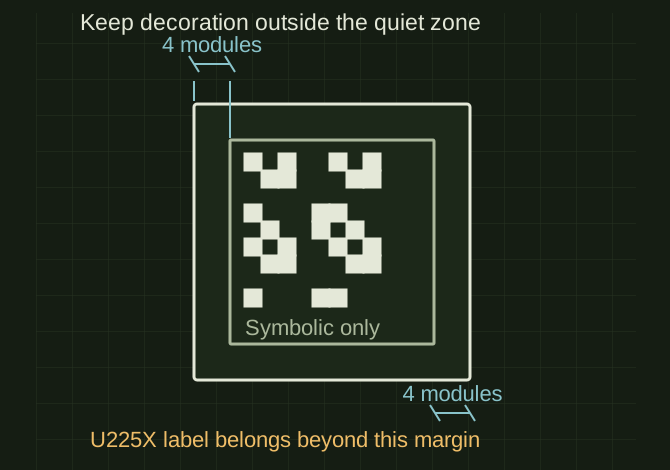
- Quiet zone
- At least 4 modules on every side
- Contrast
- Dark modules on light background
- Validate
- Final printed and finished size
TECHNICAL NOTES///
A QR sticker is a machine-readable link first. Preserve a clean, high-contrast code before adding decoration outside it.
GOALRun the first test described in this guide and record the result for qr code for u225x.com.
STEPS
- Encode the verified HTTPS address or BIZ-003 stable route with a real QR encoder.
- Use dark modules on a light background and preserve a clear quiet zone at least four modules wide on every side.
- Export a sharp SVG or adequately sized PNG. Keep the U225X badge and website text outside the code rather than covering central modules.
- Print at final size, laminate if intended and scan with multiple phones at the actual curve and viewing distance.
TROUBLESHOOTING
- An AI-drawn QR pattern is not a valid encoding workflow. Shaped modules, logos, glare and cup curvature can reduce scan reliability. Higher error correction is not permission to obscure arbitrary areas.
THINGS TO WATCH FOR
An AI-drawn QR pattern is not a valid encoding workflow. Shaped modules, logos, glare and cup curvature can reduce scan reliability. Higher error correction is not permission to obscure arbitrary areas.
RESULTVerify the decoded URL and successful scan after printing and finishing, not just from a screen.
DEVELOPMENT HISTORY///
Imported as an independent manifest record; public copy keeps uncertainty visible.
SPECIFICATION///
RELEASED MATERIAL///
Verify the decoded URL and successful scan after printing and finishing, not just from a screen.
The record keeps what is known at this revision. Unfinished tests stay unfinished here.