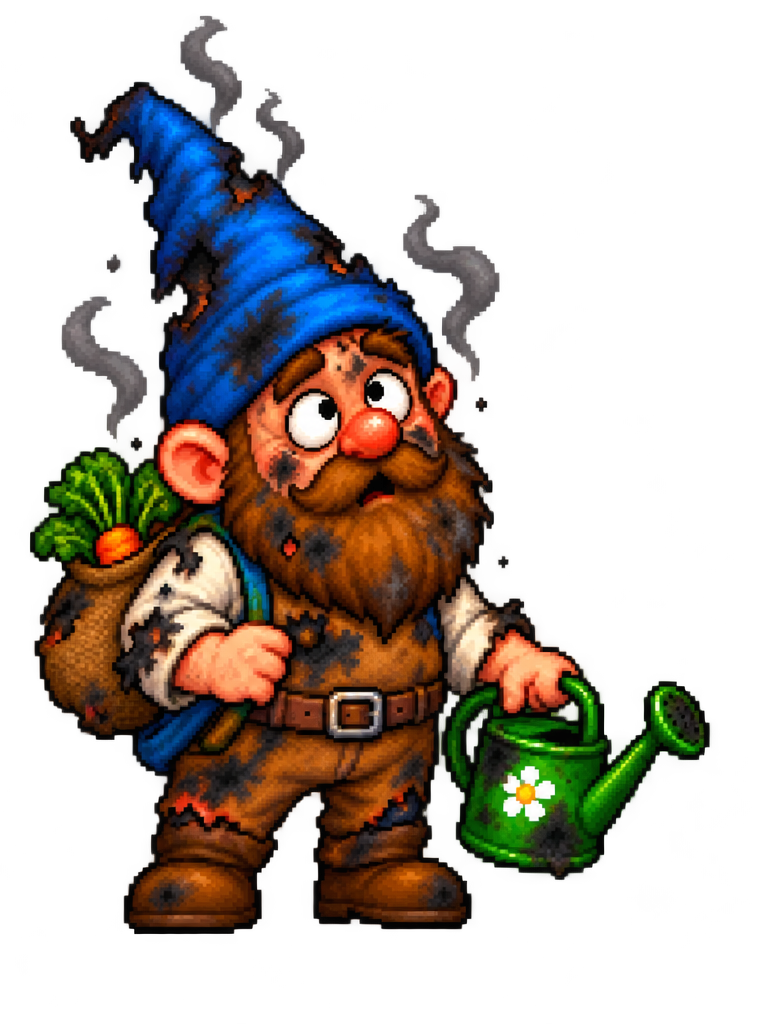
Burnt-gnome state
Represent a cartoon damage state while retaining the original character’s silhouette. Choose and freeze a shared pixel scale, canvas size, palette, anchor point and export naming convention before drawing. PNG transparency; integer scaling with nearest-neighbor display. Example canvas sizes are design choices, not recovered originals.
TECHNICAL NOTES///
Represent a cartoon damage state while retaining the original character’s silhouette.
GOALRun the first test described in this guide and record the result for burnt-gnome state.
PREPARATION / NOTES
Choose and freeze a shared pixel scale, canvas size, palette, anchor point and export naming convention before drawing. PNG transparency; integer scaling with nearest-neighbor display. Example canvas sizes are design choices, not recovered originals.
STEPS
- Duplicate the correct character canvas and anchor.
- Change the palette to soot and ash tones, preserving recognizable hat and beard shapes.
- Add a short smoke or stunned pose sequence if needed.
- Define whether the state ends in recovery, restart or another animation, and export accordingly.
TROUBLESHOOTING
- Do not accidentally replace the normal character source file. A damage state needs an explicit exit condition.
THINGS TO WATCH FOR
Do not accidentally replace the normal character source file. A damage state needs an explicit exit condition.
RESULTThe game can enter and leave the state without sprite jumps or stuck animation.
DEVELOPMENT HISTORY///
Imported as an independent manifest record; public copy keeps uncertainty visible.
SPECIFICATION///
RELEASED MATERIAL///
The game can enter and leave the state without sprite jumps or stuck animation.
The record keeps what is known at this revision. Unfinished tests stay unfinished here.