VBA Macro Refinement Tips
A conversation-specific public summary of vba macro refinement tips, distilled from the supplied export. The detailed excerpts remain available in the released note file.
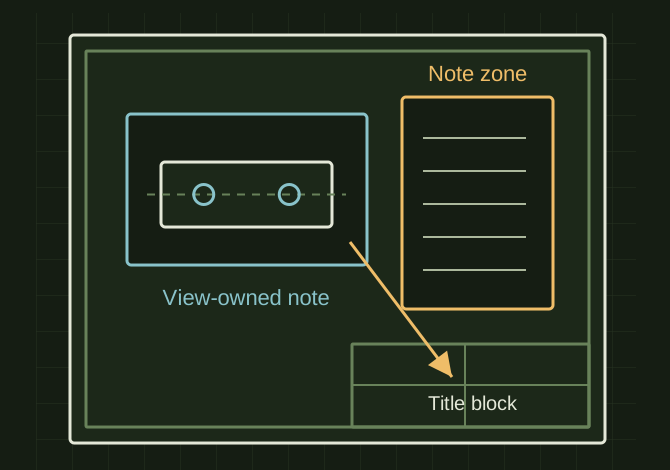
A sheet note and a view note have different anchors
 OPEN FULL SIZE ↗
- Title block
- Reference the right view/configuration
- Notes
- Sheet or active-view attachment
- Layout
- Constrain wrapping to note zone
TECHNICAL NOTES///
Conversation-specific knowledge extracted from the vba macro refinement tips discussion.
QUESTION / CONTEXTI have a SolidWorks VBA macro that: - Builds multi-sheet drawings from configurations - Creates process-based sheets (WATER JET, PRESS BRAKE, FINAL PRINT, etc.) - Generates drawing notes per configuration - Uses a drawing template with title block links Current issues: - Sheet title not updating correctly - Notes placement/formatting still slightly off - Extra sheets not deleting reliably - Want notes independent from views (not attached) I already have working code but need refinement, not a rewrite.
IMPORTANT GUIDANCE
- Sheet title is being driven by the template/title block, but the sheet isn’t being told which view/config it should pull from.
- Notes are being inserted while a view is active/selected, so they end up behaving like they belong to the view.
- Unused sheets are being deleted while the sheet list is changing, which makes deletion unreliable.
- Note width/wrapping is not being forced after insertion, so long notes keep creeping downward instead of staying in your intended note zone.
- Use this pattern after the sheet is created and after the model view for that sheet exists:
- Set swSheet = swDraw.GetCurrentSheet
- Set swView = swDraw.GetFirstView 'sheet object view
- Linked title block note → set `CustomPropertyView`
Extracted from the conversation’s assistant responses and edited for public clarity. See the released note for additional redacted excerpts.
DEVELOPMENT HISTORY///
Matched to the supplied export; key guidance is surfaced separately and the raw transcript remains unpublished.
SPECIFICATION///
RELEASED MATERIAL///
RECOVERED / SPECIFIC NOTE
The record keeps what is known at this revision. Unfinished tests stay unfinished here.