Macro for DXF Export
A conversation-specific public summary of macro for dxf export, distilled from the supplied export. The detailed excerpts remain available in the released note file.
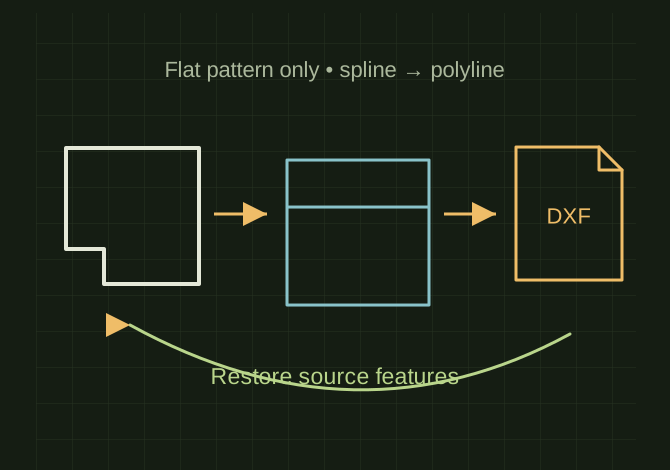
Flatten, simplify, export, then restore
 OPEN FULL SIZE ↗
- Output naming
- Same folder and base name, .dxf
- Geometry
- Flat pattern only; splines as polylines
- Source state
- Suppressed features restored after export
TECHNICAL NOTES///
Conversation-specific knowledge extracted from the macro for dxf export discussion.
QUESTION / CONTEXTcan we write a macro that steps into the flat pattern and exports it as a clean dxf without prompting me for anything? By clean I mean I want everything on the 0 layer, no bend lines, only interior and exterior features, no splines, only polylines, arcs, circles, normal lines ect. I want it saved as the current filename in the same directory.
IMPORTANT GUIDANCE
- works on the active sheet metal part
- saves the DXF as same folder + same filename + `.dxf`
- exports flat pattern geometry only
- exports splines as polylines
- turns off DXF layer mapping
- suppresses thread features, advanced holes, and non-simple Hole Wizard holes before export
- rebuilds, exports, then restores the suppressed features
- Set swApp = Application.SldWorks
Extracted from the conversation’s assistant responses and edited for public clarity. See the released note for additional redacted excerpts.
DEVELOPMENT HISTORY///
Matched to the supplied export; key guidance is surfaced separately and the raw transcript remains unpublished.
SPECIFICATION///
RELEASED MATERIAL///
RECOVERED / SPECIFIC NOTE
The record keeps what is known at this revision. Unfinished tests stay unfinished here.