SolidWorks Material Macro
A conversation-specific public summary of solidworks material macro, distilled from the supplied export. The detailed excerpts remain available in the released note file.
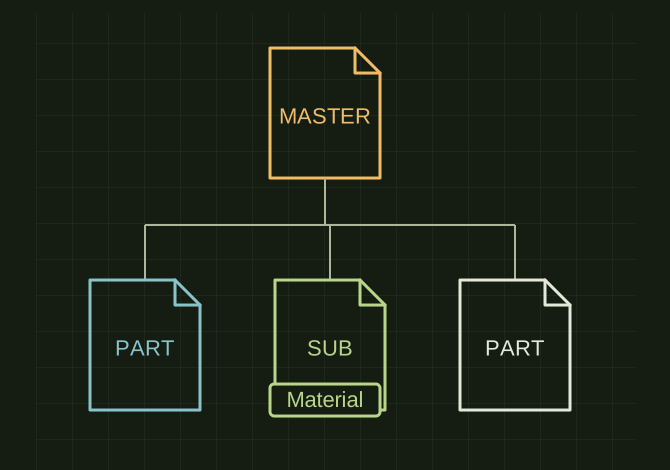
Materials live down the assembly tree
 OPEN FULL SIZE ↗
- Root
- Top-level assembly
- Branches
- Nested subassemblies
- Leaves
- Individual part materials
TECHNICAL NOTES///
Conversation-specific knowledge extracted from the solidworks material macro discussion.
QUESTION / CONTEXTCan we write a macro in solid works that jumps into anywhere from the this top level assembly and makes sure the Material is set to RNS_MATERIAL, STAINLESS, "STAINLESS, 304" Like shown in the screen shot?
IMPORTANT GUIDANCE
- Start from the active top-level assembly.
- Traverse every component recursively:
- Parts
- Subassemblies
- Parts inside subassemblies
- Parts inside nested subassemblies
- Open each part silently if needed.
- Check the assigned material.
Extracted from the conversation’s assistant responses and edited for public clarity. See the released note for additional redacted excerpts.
DEVELOPMENT HISTORY///
Matched to the supplied export; key guidance is surfaced separately and the raw transcript remains unpublished.
SPECIFICATION///
RELEASED MATERIAL///
RECOVERED / SPECIFIC NOTE
The record keeps what is known at this revision. Unfinished tests stay unfinished here.