EinScan/Einstar comparison
EinScan and EINSTAR cover multiple products; compare exact model generations rather than treating the family names as one specification.
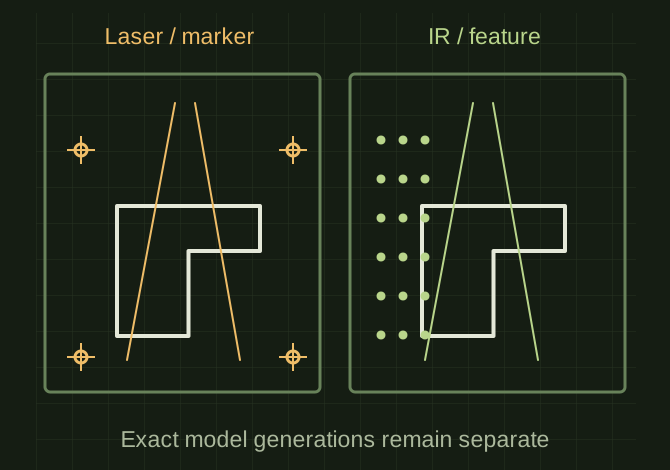
Compare modes on the same object
 OPEN FULL SIZE ↗
- Compare
- Exact model generations
- Modes
- Laser and IR can differ
- Test
- Same acquisition, alignment and export task
TECHNICAL NOTES///
EinScan and EINSTAR cover multiple products; compare exact model generations rather than treating the family names as one specification.
GOALRun the first test described in this guide and record the result for einscan/einstar comparison.
EQUIPMENT
- Scanner / mesh workflow
- Representative test model
- Measurement or inspection method
STEPS
- Identify each candidate’s exact name and light modes, then list required host hardware.
- Check whether its advertised wireless mode still requires a computer. For EINSTAR 2, review laser-marker requirements separately from IR feature/texture options.
- Run the same representative part through acquisition, alignment and export on each candidate.
- Compare handling, software workflow, markers, accessories, support and total system cost.
TROUBLESHOOTING
- Do not transfer original EINSTAR requirements to EINSTAR 2. Laser and IR modes can differ in tracking, field of view and useful object size.
THINGS TO WATCH FOR
Do not transfer original EINSTAR requirements to EINSTAR 2. Laser and IR modes can differ in tracking, field of view and useful object size.
RESULTThe result is a dated model-by-model workflow comparison, not a generic brand ranking.
DEVELOPMENT HISTORY///
Imported as an independent manifest record; public copy keeps uncertainty visible.
SPECIFICATION///
RELEASED MATERIAL///
The result is a dated model-by-model workflow comparison, not a generic brand ranking.
The record keeps what is known at this revision. Unfinished tests stay unfinished here.