SOLIDWORKS automation service
Turn a repeatable CAD task into a controlled tool with explicit inputs, rules and verifiable outputs.
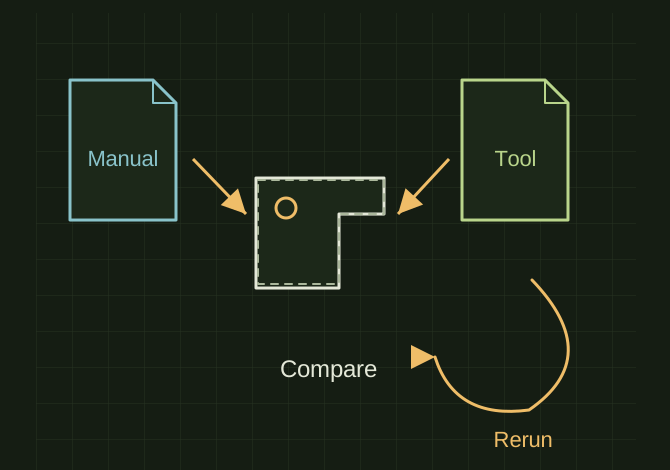
Compare a tool run with a known result
 OPEN FULL SIZE ↗
- Test
- Representative examples and exceptions
- Compare
- Known manual result
- Rerun
- No duplicated or damaged output
TECHNICAL NOTES///
Turn a repeatable CAD task into a controlled tool with explicit inputs, rules and verifiable outputs.
GOALRun the first test described in this guide and record the result for solidworks automation service.
STEPS
- Observe the manual workflow and collect representative examples, exceptions and the installed SOLIDWORKS version.
- Write an input/output specification and identify file ownership, property rules and actions that may overwrite data.
- Implement and test on disposable copies, including missing properties, configurations, suppressed components and reruns.
- Deliver the tool, setup instructions, supported-version statement, recovery path and a short acceptance demonstration.
TROUBLESHOOTING
- Do not sell employer-owned code or data without rights to do so. Never claim the existing R&S tools are a public product from their names alone.
THINGS TO WATCH FOR
Do not sell employer-owned code or data without rights to do so. Never claim the existing R&S tools are a public product from their names alone.
RESULTAcceptance compares output to a known manual result and confirms a second run does not duplicate or damage it.
DEVELOPMENT HISTORY///
Imported as an independent manifest record; public copy keeps uncertainty visible.
SPECIFICATION///
RELEASED MATERIAL///
Acceptance compares output to a known manual result and confirms a second run does not duplicate or damage it.
The record keeps what is known at this revision. Unfinished tests stay unfinished here.