Private preview versus public launch
A preview helps review content and functionality; a public launch adds discoverability and real customer expectations.
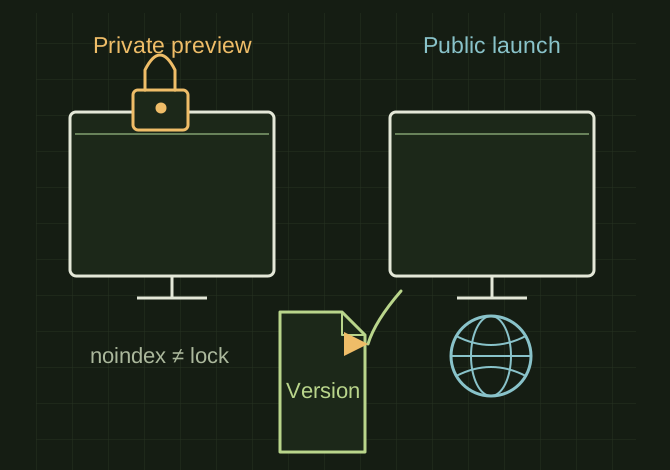
A preview has an access boundary
 OPEN FULL SIZE ↗
- Preview
- Actual access control
- Public
- Authorized launch
- Retain
- Rollback reference
TECHNICAL NOTES///
A preview helps review content and functionality; a public launch adds discoverability and real customer expectations.
GOALRun the first test described in this guide and record the result for private preview versus public launch.
STEPS
- Identify which environment is private and enforce actual access control for sensitive previews. A difficult-to-guess URL or noindex tag is not authentication.
- Test navigation, mobile layouts, record pages, downloads, contact forms and payment sandbox flows.
- Replace placeholder business claims with verified facts. Confirm intended public content and remove credentials and private source notes.
- For an authorized launch, use the host’s documented publish flow, verify the live URL and keep a rollback reference.
TROUBLESHOOTING
- Preview and production can use different environment variables and URLs. A working preview form or payment test may fail live. Publishing must not be inferred from importing content.
THINGS TO WATCH FOR
Preview and production can use different environment variables and URLs. A working preview form or payment test may fail live. Publishing must not be inferred from importing content.
RESULTKeep a dated launch checklist showing environment, tested links and remaining nonblocking issues.
DEVELOPMENT HISTORY///
Imported as an independent manifest record; public copy keeps uncertainty visible.
SPECIFICATION///
RELEASED MATERIAL///
Keep a dated launch checklist showing environment, tested links and remaining nonblocking issues.
The record keeps what is known at this revision. Unfinished tests stay unfinished here.