Detail SolidWorks Parts
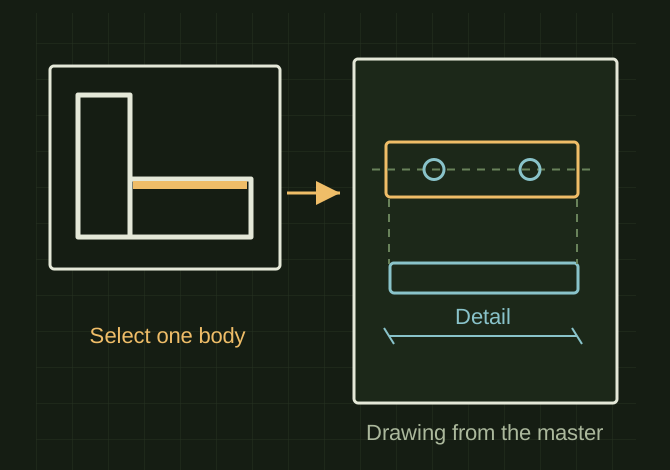
This conversation emphasized that an assembly is not required just to create fabrication drawings. A drawing can use Select Bodies or Relative View to isolate one body from the master model, then add projected, section, detail, dimension, and balloon information. A weldment cut list can organize identical items, while Save Bodies is reserved for cases that genuinely need separate released part documents, reuse, configurations, or an assembly deliverable.
Detail one body directly from the master
 OPEN FULL SIZE ↗
- Source
- Master with separate solid bodies
- Drawing
- Select Bodies / Relative View
- Detail
- Views, dimensions and cut list
TECHNICAL NOTES///
A recovered method for detailing individual bodies from a SolidWorks multibody or weldment part without converting the entire model first.
DEVELOPMENT HISTORY///
Imported as a separate detailing workflow record from the supplied SolidWorks conversation; confidential system references were omitted.
SPECIFICATION///
RELEASED MATERIAL///
A practical drawing strategy that avoids unnecessary file proliferation; the next step is testing it on one representative multibody model.
The record keeps what is known at this revision. Unfinished tests stay unfinished here.