← RETURN TO INDEX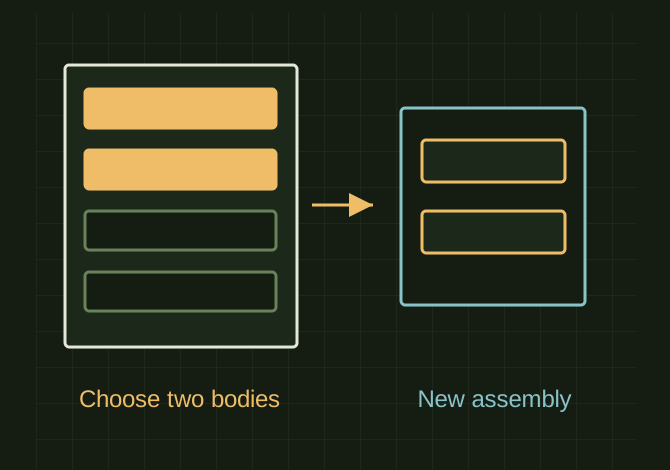 OPEN FULL SIZE ↗
A source group highlights two members; a separate assembly retains just those two. The geometry is schematic, not the original weldment.Explanatory drawing based on this record
RECORD LOCATED / 2026.06.16
Weldment Part to Assembly
A conversation-specific public summary of weldment part to assembly, distilled from the supplied export. The detailed excerpts remain available in the released note file.
CHAT-0409REV EXPORT-03
AI narration using Robert's voice. Weldment Part to Assembly / short introduction.
A CLOSER LOOK
Select only the two bodies being extracted
OPEN FULL SIZE ↗- Source
- Solid Bodies folder
- Selection
- Two chosen bodies
- Output
- Two parts plus assembly
CLASSIFICATIONSYS
STATUSRECOVERED / SPECIFIC NOTE
MATERIALCHAT EXPORT / BUILD & TOOLS
DISPOSITIONPUBLIC CONVERSATION EXCERPTS / REDACTED
TECHNICAL NOTES///
Conversation-specific knowledge extracted from the weldment part to assembly discussion.
EXTRACTED KNOWLEDGE / HOW-TOFROM CONVERSATION
QUESTION / CONTEXThow do i remove 2 parts from a weldment part and put them in an assembly
IMPORTANT GUIDANCE
- Open the weldment part.
- In the FeatureManager, expand Solid Bodies.
- Select the 2 bodies you want to move out.
- Go to Insert > Features > Save Bodies.
- Select only those 2 bodies.
- Check Create Assembly.
- Give the bodies names and save.
- Create two separate part files.
Extracted from the conversation’s assistant responses and edited for public clarity. See the released note for additional redacted excerpts.
DEVELOPMENT HISTORY///
2026.06.16EXPORT-04
Matched to the supplied export; key guidance is surfaced separately and the raw transcript remains unpublished.
SPECIFICATION///
SourceSupplied ChatGPT export
CategoryBuild & Tools
Conversation1 user turns / 1 assistant turns
Attachments1 references detected
Public detailExtracted knowledge + excerpts
RELEASED MATERIAL///
WHERE THIS STANDS
RECOVERED / SPECIFIC NOTE
The record keeps what is known at this revision. Unfinished tests stay unfinished here.