SolidWorks File Recovery
A conversation-specific public summary of solidworks file recovery, distilled from the supplied export. The detailed excerpts remain available in the released note file.
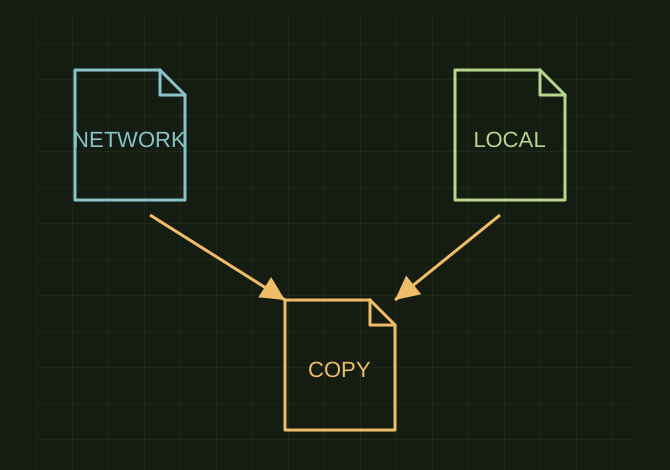
Two originals, one recovery copy
 OPEN FULL SIZE ↗
- Network
- Separate Pack and Go
- Local
- Separate Pack and Go
- Recovery
- Replace only intended changes
TECHNICAL NOTES///
Conversation-specific knowledge extracted from the solidworks file recovery discussion.
QUESTION / CONTEXTThis is a rough one. I have a solid works assembly with weldments and all kinds of stuff locally on my computer i made revisions to these files modifying existing and adding more parts. However this file was actually an older file. The folder on the network had my most current files, however my only hope...is the only dofference between the 2 is the structure some new sub asemblies were created in the network folder and drawings made. If i were to copy all of the parts from my local to the network and replace just…
IMPORTANT GUIDANCE
- Make a complete backup of the network folder using SOLIDWORKS Pack and Go.
- Make a separate Pack and Go of your local assembly.
- Work only in a third “recovery” copy of the network folder.
- Open the recovery copy of the current network top-level assembly.
- Replace only the part files you intentionally modified locally.
- Same filename
- Same extension
- Preferably the same configurations and configuration names
Extracted from the conversation’s assistant responses and edited for public clarity. See the released note for additional redacted excerpts.
DEVELOPMENT HISTORY///
Matched to the supplied export; key guidance is surfaced separately and the raw transcript remains unpublished.
SPECIFICATION///
RELEASED MATERIAL///
RECOVERED / SPECIFIC NOTE
The record keeps what is known at this revision. Unfinished tests stay unfinished here.