SolidWorks Automation VBA
A conversation-specific public summary of solidworks automation vba, distilled from the supplied export. The detailed excerpts remain available in the released note file.
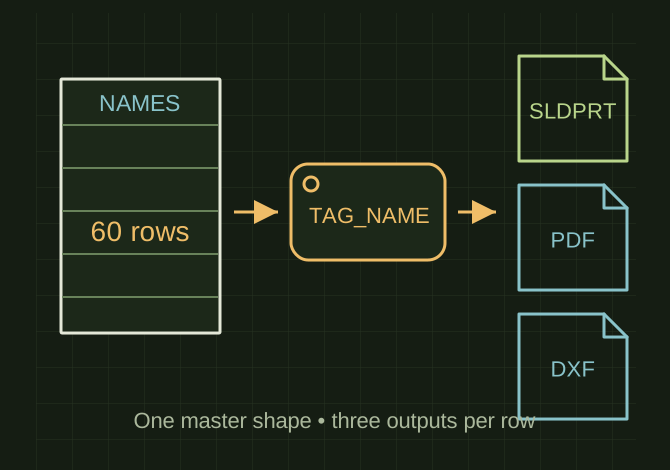
Sixty names share one tag master
 OPEN FULL SIZE ↗
- Rows
- 60 names
- Master
- TAG_MASTER.SLDPRT
- Driving property
- TAG_NAME
- Per-row outputs
- SLDPRT + PDF + DXF
TECHNICAL NOTES///
Conversation-specific knowledge extracted from the solidworks automation vba discussion.
QUESTION / CONTEXTI have 60 tags I need to create in solid works that are the same material and size only the etched name changes and I want to automate the process quickly from an excel file to have prints, pdfs and dxfs when ive finished writing the vba
IMPORTANT GUIDANCE
- One master tag part (same material/size/features)
- A drawing template for the print
- Excel loops your 60 names → updates the etch text → saves SLDPRT + PDF + DXF per row
- Create `TAG_MASTER.SLDPRT`
- Your etched name should be one feature you can edit by code:
- Best: Sketch Text (engrave) driven by a custom property like `TAG_NAME`
- Or: a Text feature / sketch you can edit directly
- *Recommended: link Sketch Text to a property:
Extracted from the conversation’s assistant responses and edited for public clarity. See the released note for additional redacted excerpts.
DEVELOPMENT HISTORY///
Matched to the supplied export; key guidance is surfaced separately and the raw transcript remains unpublished.
SPECIFICATION///
RELEASED MATERIAL///
RECOVERED / SPECIFIC NOTE
The record keeps what is known at this revision. Unfinished tests stay unfinished here.