A conversation-specific public summary of solidworks 2025 auto drawing, distilled from the supplied export. The detailed excerpts remain available in the released note file.
CHAT-0312REV EXPORT-03
AI narration using Robert's voice. SolidWorks 2025 Auto Drawing / short introduction.
Conversation-specific knowledge extracted from the solidworks 2025 auto drawing discussion.
EXTRACTED KNOWLEDGE / HOW-TOFROM CONVERSATION
QUESTION / CONTEXTsolid works 2025, I am wanting to write a program that automatically creates a print from the part I have open with dimensions
IMPORTANT GUIDANCE
Create a drawing from the active part (your standard template)
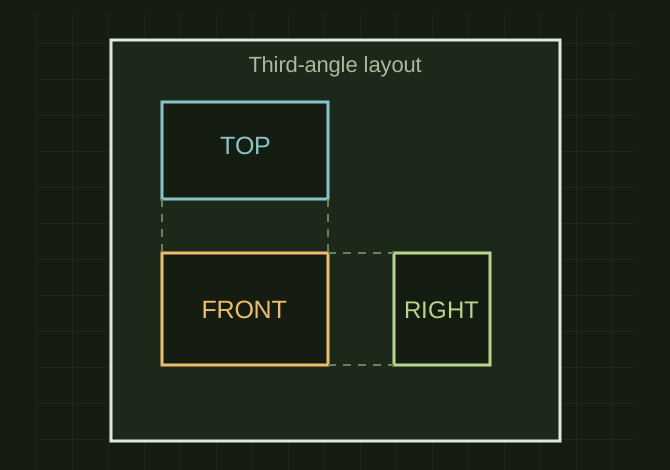
Drop in standard views (3rd angle: Front/Top/Right)
Auto-insert the model’s dimensions/annotations *IF* those dimensions exist in the model and are eligible to be inserted (e.g., “marked for drawing” dimensions, or DimXpert/MBD dims) via the API examples SOLIDWORKS provides. [embedded media omitted]
--
While modeling, ensure important dims are real model dimensions (sketch/feature dims).
Mark the ones you want in drawings as “Marked for drawing” (this is what the API insertion example targets). [embedded media omitted]
If you use DimXpert dimensions (esp. for MBD), those can be imported into drawing views too. [embedded media omitted]
Set swApp = Application.SldWorks
Extracted from the conversation’s assistant responses and edited for public clarity. See the released note for additional redacted excerpts.
DEVELOPMENT HISTORY///
2026.02.10EXPORT-04
Matched to the supplied export; key guidance is surfaced separately and the raw transcript remains unpublished.
 OPEN FULL SIZE ↗