← RETURN TO INDEX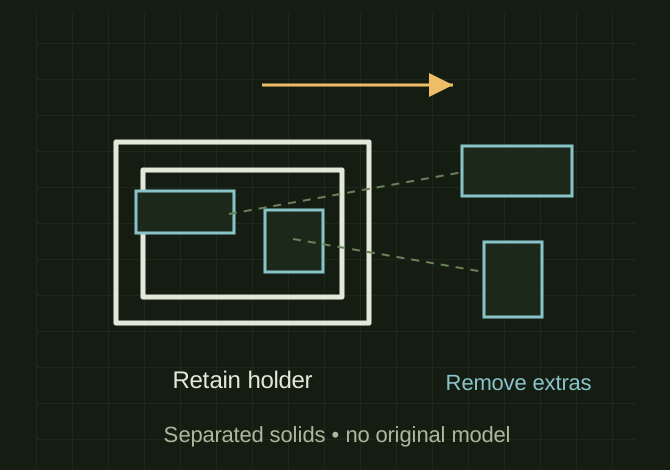 OPEN FULL SIZE ↗
Conceptual compound cleanup; the original colored model is absent.Explanatory drawing based on this record
RECORD LOCATED / 2026.07.19
Fast 3D Printing Settings
A conversation-specific public summary of fast 3d printing settings, distilled from the supplied export. The detailed excerpts remain available in the released note file.
CHAT-0167REV EXPORT-03
AI narration using Robert's voice. Fast 3D Printing Settings / short introduction.
A CLOSER LOOK
Separate the holder from unwanted solids
OPEN FULL SIZE ↗- Keep
- Dark-gray remote-holder pieces
- Remove
- Blue pieces after separating solids
CLASSIFICATIONSYS
STATUSRECOVERED / SPECIFIC NOTE
MATERIALCHAT EXPORT / BUILD & TOOLS
DISPOSITIONPUBLIC CONVERSATION EXCERPTS / REDACTED
TECHNICAL NOTES///
Conversation-specific knowledge extracted from the fast 3d printing settings discussion.
EXTRACTED KNOWLEDGE / HOW-TOFROM CONVERSATION
QUESTION / CONTEXTTHIS IS A SIMPLE REMOTE HOLDER GIVE ME SOME FAST SETTINGS
RETAINED REPLY
- Use these in Orca/FlashForge slicer tab order:
- Set Bridge speed around 40–50 mm/s and bridge fan at 100%.
- Close the current Face Tools task panel so you’re back on the Model tab.
- Select the final Boolean object in the tree.
- Go to Part → Split → Explode compound (depending on your FreeCAD version, this may be called Explode compound or Compound → Explode).
- You should now get separate solids.
- Click each blue piece in the 3D view and press Delete.
- Keep only the dark-gray remote-holder pieces.
Extracted from the conversation’s assistant responses and edited for public clarity. See the released note for additional redacted excerpts.
DEVELOPMENT HISTORY///
2026.07.19EXPORT-04
Matched to the supplied export; key guidance is surfaced separately and the raw transcript remains unpublished.
SPECIFICATION///
SourceSupplied ChatGPT export
CategoryBuild & Tools
Conversation2 user turns / 3 assistant turns
Attachments18 references detected
Public detailExtracted knowledge + excerpts
RELEASED MATERIAL///
WHERE THIS STANDS
RECOVERED / SPECIFIC NOTE
The record keeps what is known at this revision. Unfinished tests stay unfinished here.