A conversation-specific public summary of automatically dimension flat patterns, distilled from the supplied export. The detailed excerpts remain available in the released note file.
CHAT-0072REV EXPORT-03
AI narration using Robert's voice. Automatically Dimension Flat Patterns / short introduction.
Conversation-specific knowledge extracted from the automatically dimension flat patterns discussion.
EXTRACTED KNOWLEDGE / HOW-TOFROM CONVERSATION
QUESTION / CONTEXTCreate an ilogic code to automatically dimension a flat pattern in inventor 2023
IMPORTANT GUIDANCE
It first checks if the active document is a part document and if it has a flat pattern.
If it's a sheet metal part with a flat pattern, it activates the 2D sketch of the flat pattern.
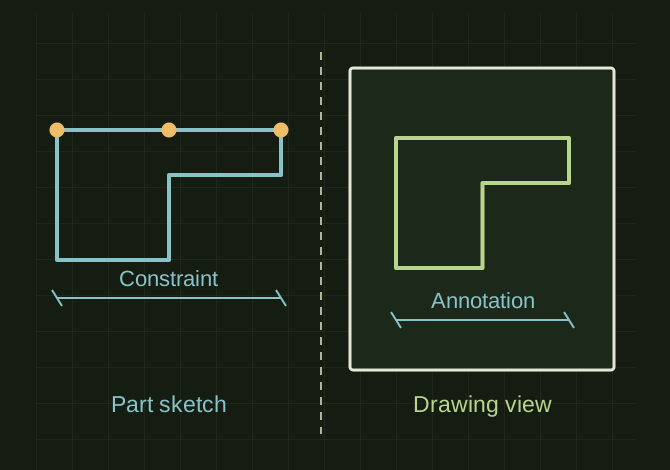
It then adds dimensions to the sketch using the `DimensionConstraints.AddTwoPointDistance` method. You will need to replace the code within this section with your specific dimensioning logic.
Finally, it updates the sketch to apply the dimensions.
It checks if the active document is a drawing document.
It iterates through each sheet in the drawing and each view on the sheet.
It activates each view, allowing you to add dimensions to it.
You can use the `oSheet.DrawingDimensions.AddLinear` method (or other relevant methods) to add dimensions to the view. In this example, a linear dimension is added from (0, 0) to (10, 0). Replace this with your specific dimensioning logic.
Extracted from the conversation’s assistant responses and edited for public clarity. See the released note for additional redacted excerpts.
DEVELOPMENT HISTORY///
2023.09.20EXPORT-04
Matched to the supplied export; key guidance is surfaced separately and the raw transcript remains unpublished.
 OPEN FULL SIZE ↗