Free 3D-modeling apps for children’s Chromebooks
Start with a browser-based tool and a small project that teaches grouping, alignment and dimensions.
A few shapes can teach the whole first lesson
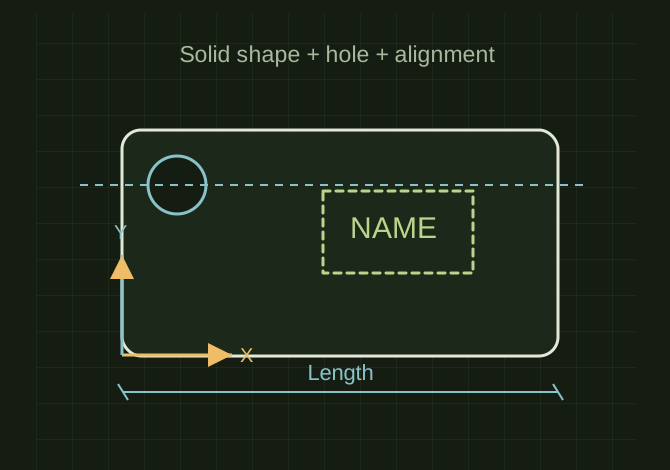 OPEN FULL SIZE ↗
- Build
- Solid and hole shapes
- Learn
- Align, group and measure
- Review
- Check dimensions before printing
TECHNICAL NOTES///
Start with a browser-based tool and a small project that teaches grouping, alignment and dimensions.
GOALRun the first test described in this guide and record the result for free 3d-modeling apps for children’s chromebooks.
EQUIPMENT
- Basic inspection tools
- Service information for the exact model
- Notebook or photo record
STEPS
- Use Tinkercad as a verified free web-based starting option and create accounts through the appropriate parent/classroom process.
- Begin with a name tag or simple container using a few solid and hole shapes.
- Teach navigation, alignment, grouping and measuring before introducing complicated meshes.
- Export a sample STL, check its dimensions in the slicer and print only after an adult reviews thin walls and small parts.
TROUBLESHOOTING
- A low-memory Chromebook may struggle with complex scenes. Do not assume school accounts permit every website or upload. Keep children’s personal information out of public designs.
SAFETY / LIMITS
- Use qualified judgment and current manufacturer or code guidance for safety-critical work.
THINGS TO WATCH FOR
A low-memory Chromebook may struggle with complex scenes. Do not assume school accounts permit every website or upload. Keep children’s personal information out of public designs.
RESULTThe child can explain the model’s dimensions and independently make one meaningful design change.
DEVELOPMENT HISTORY///
Imported as an independent manifest record; public copy keeps uncertainty visible.
SPECIFICATION///
RELEASED MATERIAL///
The child can explain the model’s dimensions and independently make one meaningful design change.
The record keeps what is known at this revision. Unfinished tests stay unfinished here.