Chromebook USB-C charger replacement
Match the charger’s USB Power Delivery capability to the exact Chromebook, not merely its connector shape.
The connector is only one part of compatibility
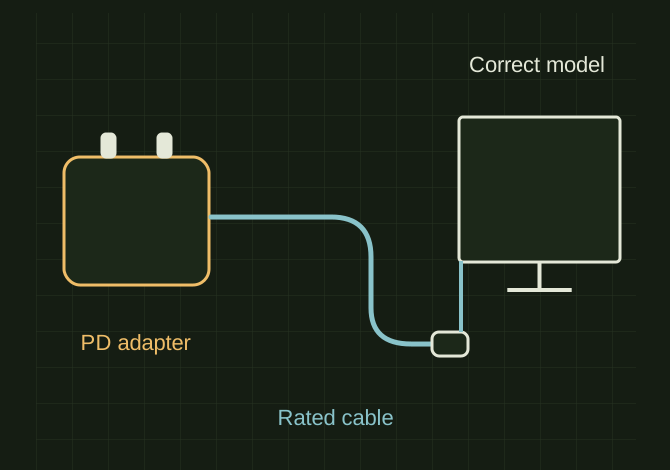 OPEN FULL SIZE ↗
- Adapter
- Required USB PD profiles
- Cable
- Appropriate rating
- Laptop
- Correct model and charging port
TECHNICAL NOTES///
Match the charger’s USB Power Delivery capability to the exact Chromebook, not merely its connector shape.
GOALRun the first test described in this guide and record the result for chromebook usb-c charger replacement.
EQUIPMENT
- Basic inspection tools
- Service information for the exact model
- Notebook or photo record
STEPS
- Read the laptop label/service tag and identify the required adapter from Dell’s documentation.
- Choose a reputable compatible USB-C PD adapter with the required voltage profiles and adequate wattage, plus a suitably rated cable.
- Test charging directly at the intended charge-capable port without a dock.
- Compare charging while idle and under normal use, and inspect the cable/port if connection is intermittent.
TROUBLESHOOTING
- A phone charger may fit but charge too slowly or lack the required PD profile. Do not assume every port or cable supports the same power. Stop using damaged, unusually hot or sparking equipment.
SAFETY / LIMITS
- Use qualified judgment and current manufacturer or code guidance for safety-critical work.
THINGS TO WATCH FOR
A phone charger may fit but charge too slowly or lack the required PD profile. Do not assume every port or cable supports the same power. Stop using damaged, unusually hot or sparking equipment.
RESULTThe Chromebook reports charging consistently and maintains or increases charge during expected use.
DEVELOPMENT HISTORY///
Imported as an independent manifest record; public copy keeps uncertainty visible.
SPECIFICATION///
RELEASED MATERIAL///
The Chromebook reports charging consistently and maintains or increases charge during expected use.
The record keeps what is known at this revision. Unfinished tests stay unfinished here.