Create inventory form
A conversation-specific public summary of create inventory form, distilled from the supplied export. The detailed excerpts remain available in the released note file.
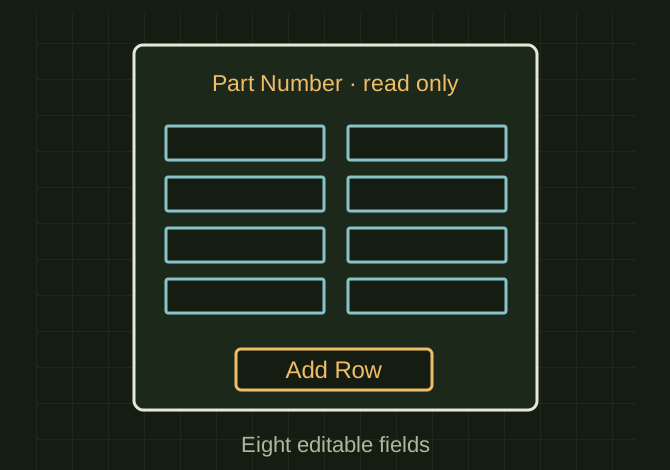
The inventory form that was requested
 OPEN FULL SIZE ↗
- Editable fields
- 8 textboxes
- Read-only field
- Part Number
- Action
- Add Row
TECHNICAL NOTES///
Conversation-specific knowledge extracted from the create inventory form discussion.
QUESTION / CONTEXTI want to create a form to add a row to an inventory sheet of standard parts, any time I add a row it should grab the next availible number there are 8 possible entries that can go into the rows after the part number. Description, TYPE, SUB_TYPE,DIAMETER,THREAD,LENGTH,Manufacturer and Manufacturer Part Number
IMPORTANT GUIDANCE
- --
- Press ALT + F11 in Excel
- Insert → UserForm
- Add:
- Eight textboxes
- One label for Part Number (read-only)
- One “Add Row” button
- Set ws = ThisWorkbook.Sheets("Inventory")
Extracted from the conversation’s assistant responses and edited for public clarity. See the released note for additional redacted excerpts.
DEVELOPMENT HISTORY///
Matched to the supplied export; key guidance is surfaced separately and the raw transcript remains unpublished.
SPECIFICATION///
RELEASED MATERIAL///
RECOVERED / SPECIFIC NOTE
The record keeps what is known at this revision. Unfinished tests stay unfinished here.