A conversation-specific public summary of best software for stl split, distilled from the supplied export. The detailed excerpts remain available in the released note file.
CHAT-0087REV EXPORT-03
AI narration using Robert's voice. Best Software for STL Split / short introduction.
Conversation-specific knowledge extracted from the best software for stl split discussion.
EXTRACTED KNOWLEDGE / HOW-TOFROM CONVERSATION
QUESTION / CONTEXTwhat software is the best for seperating stl files into 2
IMPORTANT GUIDANCE
Change the workbench dropdown from Part Design to Mesh.
Click the imported Zippo v31 object in the Model tree.
Go to Meshes → Split by components.
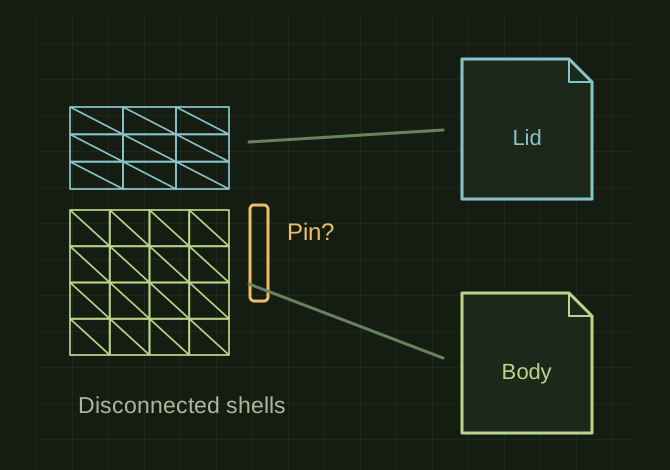
FreeCAD should create separate mesh objects for each disconnected component.
Hide the original `Zippo v31`.
You may get more than 2 pieces because the hinge pin or other parts could also be separate shells. Keep the pieces belonging to the lid together and the pieces belonging to the body together.
Select the lid component(s), then File → Export → STL Mesh and save as `Zippo_Lid.stl`.
Select the body component(s), then export as `Zippo_Body.stl`.
Extracted from the conversation’s assistant responses and edited for public clarity. See the released note for additional redacted excerpts.
DEVELOPMENT HISTORY///
2026.07.05EXPORT-04
Matched to the supplied export; key guidance is surfaced separately and the raw transcript remains unpublished.
 OPEN FULL SIZE ↗